Sharing Rewards Between Kids: How To Use Stars For A Family Treat
If you have more than one child, plenty of rewards get enjoyed by everyone, like going to the park or watching a family movie. So how do you use stars for a shared reward, without leaving someone out or making it feel like a punishment?
There are a few options to try.
Split the cost
Take half the stars from each child, so they share the cost of the reward.
Take turns paying
A reward the whole family can enjoy together usually isn't a one-off. So ask your kids to take turns using their stars for it. As a bonus, this teaches them to share the reward and enjoy it together.
Generosity stars
If one child is happy to use their stars for a reward the whole family can enjoy, think about giving them a few extra generosity stars as a thank you. You can do this by giving them stars yourself (see below).
Team rewards
Try a team reward, where your kids put their stars together to reach a bigger reward. It's a great way to encourage teamwork.
In Little Streaks, each child saves their own stars, so agree how many stars each of them puts in, then take that many from each child when you claim it.
How to give or take stars in Little Streaks
- Open your child's routine.
- Tap their stars at the bottom of the screen to open Rewards.
- Tap the gear at the top to open Manage Rewards. If you've turned on the grown-up check, answer its question.
- Choose Give Stars or Take Stars, and pick how many.
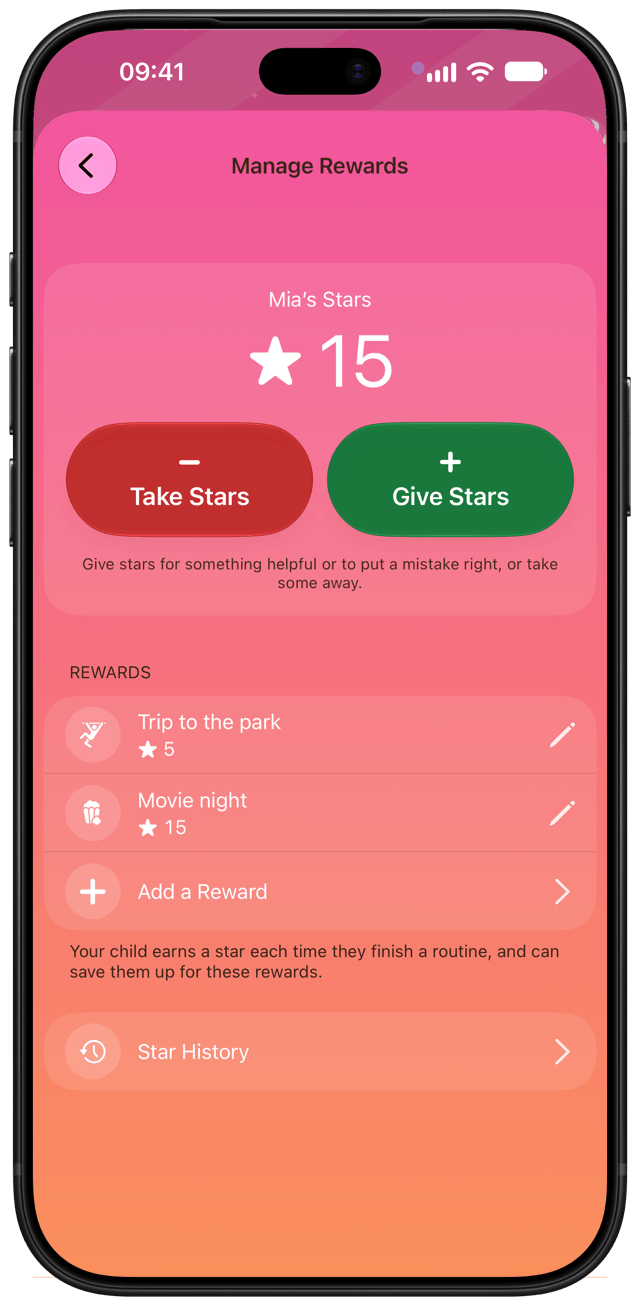
You can always undo it. Delete the stars you gave or took in the star history, and they go back.

Little Streaks is a routines and rewards app for kids, for iPhone and iPad. Free to start, with up to two routines.