Screen-free time ideas for kids
Screen-free time goes better with a plan than with "go and find something to do". Start by putting the tablet away, then have a short list of things to do instead: play outside, read a book, build something and do a puzzle.
Having the list ready means there's no gap for boredom to fill, and a child can choose the order themselves.
What can kids do instead of screens?
Screen-Free Time
- Put the Tablet AwayFirst, and out of sight, not just switched off.
- Play Outside
- Read a Book
- Build SomethingBlocks, LEGO, a cubby, a cardboard box.
- Do a Puzzle
This is the Screen-Free Time routine that comes with Little Streaks. Swap any of the activities for ones your child enjoys.
More screen-free ideas
Little Streaks has other ready-made routines that work as screen-free time, too:
- Art Time: Get Your Art Things Out, Draw or Paint, Show Someone Your Art, Tidy Away Your Art Things, Wash Hands.
- Outdoor Play: Wear Sunscreen, Wear a Hat, Put On Shoes, Explore Nature, Drink Water, Wash Hands.
- Music Practice: Get Your Instrument Out, Warm Up, Practise for 15 Minutes, Play Your Favourite Song, Pack Your Instrument Away.
- Kindness: Say Please and Thank You, Sharing is Caring, Help Someone, Say Something Kind, Give a Hug.
How do you make the switch away from screens easier?
- Make putting the tablet away a task. It's the first step in Screen-Free Time and in the Bedtime Wind-Down routine, so it gets ticked off like anything else.
- Give a warning. "Five more minutes" is easier to accept than a sudden stop.
- Have the first activity ready. A puzzle on the table or a book on the couch makes starting easy.
- Use the same time each day. After school or before dinner, so it's part of the day rather than a punishment.
What can kids do instead of screens?
Play outside, read a book, build something or do a puzzle. Art, music practice and outdoor play work well too. Having a list ready means there's no gap for boredom to fill.
How do you get kids off screens without a fight?
Give a warning before time's up, make putting the tablet away a task they tick off, and have the first activity ready to go.
Is screen time a good reward?
Many families use it as one, and it's one of the reward examples in Little Streaks. Your child earns stars for finishing routines and swaps them for screen time you approve. There's more in screen time as a reward.
How does it work in Little Streaks?
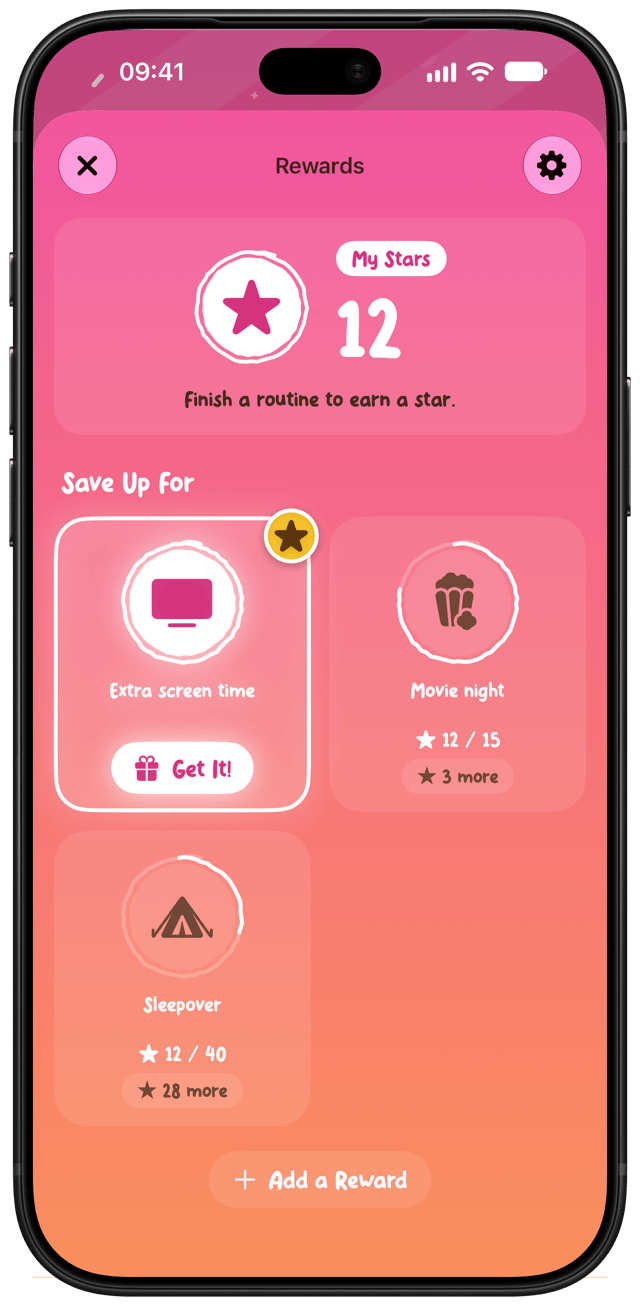
Screen-Free Time starts in a meadow with butterflies, and you can change the scene and celebration. Your child holds each task to tick it off, with a celebration every time, and finishing the routine earns a star towards a reward you choose.

Little Streaks is a routines and rewards app for kids, for iPhone and iPad. Free to start, with up to two routines.